
 Written By
  Reviewed By Celina Mazie
Introduction
In today’s digital era, non-profit organizations rely on technology to reach more people and deliver services effectively. Alleviate Poverty’s story shows how adopting a Unified Communication Platform transformed its work, enabling seamless collaboration, better fundraising, and stronger community engagement. By integrating messaging, video calls, file sharing, and volunteer management into one platform, the organization evolved rapidly. This case study illustrates the transformative potential of digital tools in the non-profit sector and how a well-chosen communication system can help charities fulfill their missions more powerfully than ever before.
The Challenge: Fragmented Communication in Non-Profits
Before implementing a unified system, Alleviate Poverty faced common hurdles:
- Siloed Teams: Field officers, fundraisers, and admin staff used separate tools—email for donors, WhatsApp for volunteers, and spreadsheets for program data.
- Missed Messages: Important updates got lost in long email threads or overlooked in group chats.
- Inefficient Meetings: Scheduling conflicts and unreliable video links wasted time.
- Scattered Documents: Project plans, impact reports, and training materials were scattered across drives and local computers.
These issues slowed decision-making, limited fundraising potential, and reduced the time staff could spend supporting communities.
Why Choose a Unified Communication Platform?
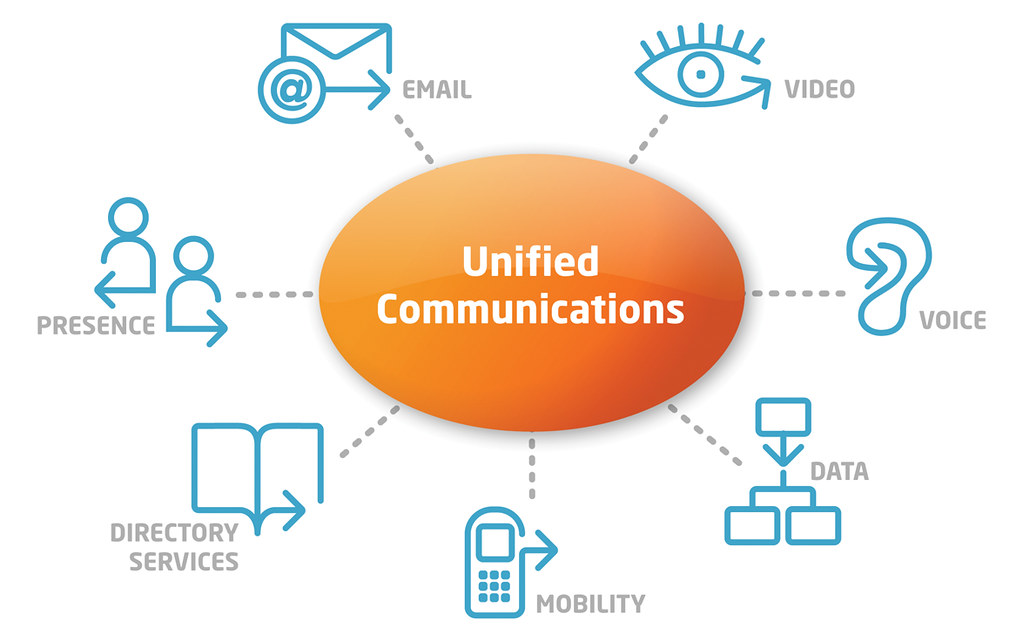
A Unified Communication Platform brings all channels—chat, voice, video, and file sharing—into a single interface. For non-profits, the benefits include:
- Centralized Collaboration: Teams access the same workspace, reducing duplication and errors.
- Real-Time Updates: Instant messaging and presence indicators show who’s available.
- Integrated Tools: Calendars, task lists, and document editing work together, avoiding app-hopping.
- Scalable Solutions: Cloud-based platforms grow with organizational needs, adding users or features as required.
- Cost Efficiency: Non-profits often qualify for discounted or free plans from major vendors.
By unifying communication, charities can free up staff time, improve data accuracy, and respond faster to community needs.
Implementing the Platform at Alleviate Poverty
Alleviate Poverty followed a clear, four-step process to adopt its new system:
- Needs Assessment: Leaders surveyed staff and volunteers to identify pain points—fragmented messaging, unclear schedules, and lost files topped the list.
- Platform Selection: They chose a service offering chat channels, HD video calls, secure file storage, and nonprofit pricing. Key criteria included ease of use and mobile support for field teams.
- Training and Onboarding: A series of live webinars and short tutorial videos helped everyone—from the finance team to rural outreach workers—learn essential features. A help channel provided on-demand support.
- Pilot and Rollout: A pilot group tested the platform for two months, refining channel structures and permissions. Once the pilot succeeded, Alleviate Poverty migrated all programs and rolled the system out organization-wide.
By involving users early and providing hands-on training, the charity achieved a 90% adoption rate within three months.
Key Features Driving Transformation
Several platform features proved especially impactful:
1. Thematic Channels
Dedicated channels for each program—such as food distribution, women’s empowerment, and youth education—kept conversations focused. Field staff posted daily updates, shared photos, and asked quick questions. Program leads responded in real time, preventing delays.
2. Integrated Video Conferencing
Weekly check-ins moved from phone calls to video huddles. Remote staff in rural areas joined via mobile app, sharing local challenges and successes face-to-face. These meetings built trust and reduced misunderstandings that phone calls alone often caused.
3. Shared Document Libraries
All project files—budgets, grant proposals, impact reports—lived in a single, searchable repository. Version control prevented accidental overwrites, and staff could co-author documents live, speeding up report preparation by 40%.
4. Task and Calendar Integration
Volunteers signed up for shifts through a shared calendar. Automated reminders reduced no-shows by 30%. Task lists tied to each event kept coordinators on track, ensuring essential steps—like food ordering and venue setup—never slipped through the cracks.
Amplifying Fundraising and Donor Engagement
Beyond internal collaboration, the platform supported fundraising in new ways:
- Virtual Donor Events: Live streamed Q&A sessions with beneficiaries, showcasing the impact of gifts in real time. Donations increased by 25% during these interactive events.
- Donor Channels: A private channel for major donors provided exclusive updates, making supporters feel valued and informed.
- Automated Thank-You Notes: Integrated email automation sent personalized acknowledgments within minutes of each gift, strengthening donor relationships.
These digital strategies helped Alleviate Poverty expand its donor base and secure multi-year commitments from key supporters.
Measuring Impact and Continuous Improvement
To ensure the platform delivered value, Alleviate Poverty tracked key metrics:
- Response Times: Average internal response dropped from 12 hours to 2 hours.
- Meeting Efficiency: Video check-in durations fell by 20%, freeing staff for other tasks.
- Document Retrieval: Staff reported 80% faster access to essential files.
- Volunteer Retention: Clear scheduling and better communication improved retention rates by 15%.
Regular surveys gathered user feedback, guiding tweaks such as reorganized channel structures and additional training sessions. This cycle of measurement and iteration kept the platform aligned with real-world needs.
Overcoming Common Challenges
Implementing new technology can be challenging, but Alleviate Poverty tackled these issues head-on:
- Digital Literacy Gaps: The charity paired less tech-savvy staff with “digital buddies” and created simple one-page cheat sheets.
- Connectivity Problems: In areas with poor internet, they used offline features and SMS notifications as backups.
- Change Resistance: Leadership emphasized the platform’s benefits in early communications, highlighting time saved and stress reduced, which convinced skeptics to engage.
By acknowledging hurdles and providing targeted support, Alleviate Poverty ensured a smooth, inclusive rollout.
Lessons Learned and Best Practices
Other non-profits can draw on Alleviate Poverty’s experience:
- Engage Users Early: Involve staff and volunteers in platform selection to build ownership.
- Invest in Training: Short, focused sessions beat long, technical manuals. Leverage peer mentors for ongoing support.
- Keep It Simple: Start with core features—chat, calls, file sharing—before adding advanced tools.
- Measure Success: Define clear KPIs, track them regularly, and adjust as needed.
- Plan for Connectivity: Offer offline access or alternative channels for low-bandwidth regions.
Following these best practices helps organizations maximize their Unified Communication Platform investment.
Conclusion
Alleviate Poverty’s journey with a Unified Communication Platform demonstrates how digital tools can revolutionize non-profit operations. By centralizing messaging, video calls, file sharing, and scheduling, the organization improved collaboration, boosted fundraising, and enhanced community impact. Key lessons include engaging users early, investing in practical training, and measuring success through clear metrics. As this case shows, the right non-profit technology empowers charities to adapt, innovate, and fulfill their missions more effectively. For any organization aiming to scale its impact, adopting a unified communication system offers a proven path to greater efficiency, stronger engagement, and sustainable growth.


