 Written By
  Reviewed By Dwight Michael
Introduction
The world of education is changing fast. In 2025, new trends and tools make learning more flexible, engaging, and personal. Schools and universities use AI to tailor lessons. Companies offer microlearning modules you can finish in minutes. Augmented reality and virtual reality bring lessons to life. Hybrid models blend online and in-person classes for the best of both worlds. Skills-based learning helps students work-ready from day one. This article explores the key education trends and online learning tools of 2025. You will learn how each trend works, see a comparison table of top platforms, and get tips for choosing the right tools for your needs.
Learning in 2025: Simple, Smart, and Open to All
Schools and workplaces once treated online learning as a backup plan. In 2025 it is the frontline. Wi-Fi costs less, phones run faster, and new apps guide every step—from setting goals to grading essays. Even better, lessons now fit each person. A middle-school student can practice fractions with a friendly AI tutor, while a project manager in another time zone earns a micro-credential at lunch. This article breaks down the most important trends and the tools that make them real. Every section stays light on jargon and heavy on clear tips you can try today.
AI-Powered Personalized Learning

What Is Personalized Learning?
Personalized learning uses AI to adapt lessons to each student’s pace and style. The software tracks progress and offers extra practice where needed. If a student masters math fractions quickly, the system moves on. If they struggle with reading, it adds simpler texts until they improve. This approach keeps students challenged but not overwhelmed.
Top AI Learning Tools
In 2025, platforms like SmartTutor and LearnWise lead in AI-driven lessons. SmartTutor reviews quiz results in real time and suggests new activities. LearnWise uses chatbots to answer questions 24/7, freeing teachers to focus on tough problems. These tools help both K–12 and adult learners stay on track and feel more confident.
Microlearning and Bite-Sized Content
Why Microlearning Works
Microlearning breaks lessons into small, focused chunks—often under five minutes. It fits busy schedules and supports quick knowledge boosts. Students review a short video on grammar during a coffee break or learn a new software tip each morning. Microlearning makes it easy to build skills step by step without long lectures.
Platforms for Microlearning
QuickLearn offers daily bite-sized modules across subjects. SnackStudy lets teams create custom micro-courses for employee training. Both platforms track completion and quiz students to reinforce memory.
Gamification in Education
What Is Gamification?
Gamification adds game-like elements—points, badges, leaderboards—to learning. It taps into students’ love of competition and rewards. When you earn points for completing a science lesson, you feel motivated to keep going.
Gamified Learning Tools
In 2025, platforms like EduQuest and GameLearn blend lessons with quests. EduQuest turns history lessons into interactive story games where students unlock new chapters by answering questions. GameLearn focuses on corporate skills, creating simulations where employees earn badges for teamwork and leadership scenarios.
Extra Table — Matching Learning Goals to 2025 Tools
| Learning Goal | Best 2025 Trend | Suggested Tool | Why It Fits | Quick Start Step |
|---|---|---|---|---|
| Boost math problem-solving | AI-Powered Tutoring | Khanmigo | Gives hint-by-hint help and tracks gaps | Assign 10-minute chatbot drills after each lesson |
| Improve reading fluency | Micro-Learning & AI Speech | Microsoft Reading Progress | Auto-scores words per minute and mispronunciations | Upload one passage per week for timed reads |
| Teach human-body systems | VR / AR Labs | Merge EDU Cube | Lets students “hold” a 3-D heart or lung in class | Schedule a 15-minute demo rotation station |
| Keep homework fun | Gamified Assessments | Quizizz 4.0 | Turns quizzes into point races with power-ups | Replace one paper quiz with a live game session |
| Upskill staff in data basics | Stackable Certificates | Google Career Certs (Data Analytics) | Offers employer-backed badge in six months | Set a team goal: finish two modules per month |
| Support class well-being | Online SEL | Flip + Headspace for Educators | Video check-ins and short calm breaks | Start each Monday with a 60-second mood video |
| Secure student logins | Data-Safe Tools | Clever Badges | No passwords, reduces breaches | Print QR badges and train students in one session |
AR and VR Immersive Learning

What Are AR and VR?
Augmented reality (AR) overlays digital content on the real world. Virtual reality (VR) creates fully digital environments. Both let students explore concepts hands-on. In AR, you might point a tablet at a flower and see its internal structure. In VR, you could tour a virtual ancient city and speak with citizens.
Leading AR/VR Education Tools
Tools like ImmersaLearn and VirtualCampus stand out in 2025. ImmersaLearn offers AR labs for biology and chemistry, letting students safely mix chemicals and see reactions. VirtualCampus builds VR classrooms where remote students gather as avatars, join group projects, and present to the class.
Hybrid and Flipped Classroom Models
How Hybrid Learning Works
Hybrid learning mixes in-person and online lessons. Students might watch video lectures at home and then come to class for hands-on labs or discussions. This model uses class time for active learning rather than lectures.
Flipped Classroom Platforms
Platforms like FlipMaster and ClassFlex power flipped classrooms. In class, students work on projects while teachers guide and answer questions one-on-one.
Skills-Based and Career-Focused Education
What Is Skills-Based Learning?
Skills-based learning focuses on building practical abilities employers need. Instead of broad degrees, students earn certificates in coding, digital marketing, or project management. This approach helps learners land jobs faster.
Top Skills Platforms
SkillForge offers bite-sized courses in IT, design, and data science. CareerCraft partners with companies to create training that directly matches job openings. Both platforms offer badges you share on professional profiles.
Collaboration and Social Learning
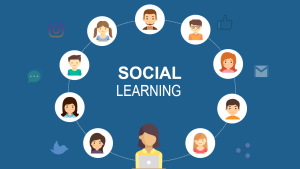
Why Social Learning Matters
Learning with peers boosts engagement and retention. Social learning platforms let students discuss topics, share resources, and work on group projects in real time. This approach recreates classroom social dynamics online.
Collaboration Tools
StudyCircle offers virtual study rooms where students solve problems together by video chat. PeerConnect matches learners with study buddies based on interests and skill levels.
Analytics and Learning Management Systems
(LMS)
Role of LMS
Learning Management Systems host courses, track progress, and report analytics. They help schools and companies manage training for large groups.
Advanced LMS Platforms
Platforms like LearnHub and EduTrack use AI analytics in 2025. LearnHub highlights at-risk students and suggests interventions. EduTrack helps trainers see which modules have low completion rates and need redesign.
Personal AI Tutors for Everyone
Why It Matters
Artificial-intelligence helpers do more than answer quick questions. If a learner sounds stressed, the AI can slow pace and add simpler examples.
Tools to Watch
- Khanmigo (Khan Academy) – Chat with a math guide or writing coach that cites steps.
- Coursera Coach – Built into many courses; explains quiz errors and suggests practice videos.
- Microsoft Reading Progress – Uses speech AI to test fluency and auto-grade in Teams.
Quick Tip
Have students set one clear goal before chatting: “Explain photosynthesis in 3 steps” works better than “Teach me science.”
Trend 2: Short, Stackable Certificates
Why It Matters
In 2025, many jobs accept micro-credentials. Learners stack three or four short badges—data basics, Python, and project skills—to earn a promotion.
Tools to Watch
- Google Career Certificates on Coursera – Under six months, pay-as-you-go.
- LinkedIn Learning Paths – Bundles of ten to twenty videos end with a shareable badge.
- Udacity Nanodegree – Deeper projects plus mentor chats, still shorter than college.
Quick Tip
Pick programs that post job outcomes and partner with real companies; those badges carry more weight.
Trend 3: Virtual and Augmented Reality Classrooms
Why It Matters
Students can walk on Mars, dissect a digital frog, or tour historic Rome without leaving a desk.
Tools to Watch
- ClassVR – Schools load ready science and history scenes; teacher tablet controls headsets.
- Meta Horizon Workrooms – Teams meet in 3-D offices, write on shared whiteboards.
- Merge EDU – Foam cube + phone = interactive models of DNA, volcanoes, or the human heart.
Table: Comparison of Top Online Learning Tools 2025
| Tool | Main Feature | Audience | Price Range |
|---|---|---|---|
| SmartTutor | AI-driven personalized lessons | K–12 and adult | $10–$20/month |
| QuickLearn | Microlearning modules | Professionals | $5–$15/month |
| EduQuest | Gamified history simulations | K–12 | $8–$18/month |
| ImmersaLearn | AR science labs | K–12 and higher ed | $20–$30/month |
| FlipMaster | Flipped classroom management | Teachers | $12–$25/month |
| SkillForge | Skills certification courses | Job seekers | $20–$40/month |
| StudyCircle | Virtual study rooms | Students | Free–$10/month |
| LearnHub | AI analytics in LMS | Schools, companies | $15–$30/month |
This table highlights leading tools, their core features, audiences, and pricing tiers.
How Teachers and Managers Can Start

Map Goals First
Write one clear target per group: “Grade 8 will improve reading speed by 15 %,” or “Sales team will learn basic SQL tips.”
Pilot One Tool at a Time
Introduce Khanmigo to one math class before rolling across grade levels.
Tips for Choosing the Right Tools
Define Your Goals
Decide if you need one-on-one support, skill certificates, or engaging group activities.
Start Small
Test free trials before committing. Use one platform deeply rather than many half-heartedly.
Train Instructors and Learners
Provide quick tutorials so everyone uses features well.
Monitor Engagement
Use built-in analytics to see which tools and lessons work best. Adjust your strategy based on real data.
Blend Multiple Tools
Combine AI tutoring with microlearning and social study rooms for a well-rounded approach.
Conclusion
Education in 2025 is more dynamic and personalized than ever. AI-powered personalized learning adapts to each student. Microlearning and gamification keep lessons short and fun. AR and VR bring immersive experiences. Hybrid and flipped classrooms blend online and in-person strengths. Skills-based platforms align learning to career goals. Social tools foster collaboration, and advanced LMS platforms use analytics to guide success. By choosing the right mix of tools—SmartTutor, QuickLearn, EduQuest, ImmersaLearn, FlipMaster, SkillForge, StudyCircle, and LearnHub—you can build an effective learning ecosystem. Follow our tips to integrate new tech smoothly and watch engagement and outcomes soar.
Call-to-Action: Ready to upgrade your learning strategy? Explore these top online tools for 2025 and start your free trial today to see which best fits your needs!