Written By
  Reviewed By Maggie Londyn
Introduction
In the fast-paced world of remote work, staying productive can often feel like a challenge. With distractions everywhere and a lack of clear structure, maintaining focus throughout the day can be difficult. However, there is one technique that has proven time and time again to increase remote work productivity time-blocking.
Time-blocking is a effective time management or project management strategy where you divide your workday into blocks of time, each dedicated to a specific task or activity. This approach helps you stay focused, avoid multitasking, and make the most of every minute. In this article, we’ll explore the top time-blocking hacks for remote workers in 2025. You’ll learn how to effectively use time-blocking techniques to boost productivity, manage tasks better, and maintain a healthy work-life balance.
What Is Time-Blocking?

Time-blocking is a simple yet powerful time management technique where you daily schedule your day into chunks, each devoted to a particular task or activity. Instead of working through a long to-do list, you assign specific time slots for each task. This method helps you stay organized, focused, and efficient throughout the day.
The core concept of time-blocking is to eliminate distractions and multitasking, allowing you to focus deeply on one task at a time. Whether you’re tackling a project, responding to emails, or brainstorming ideas, time-blocking can help you optimize your time and improve your remote work productivity.
Why Time-Blocking Works for Remote Workers

Working remotely often means you are responsible for managing your own schedule, which can lead to inefficiency, procrastination, and distractions. However, time-blocking provides a structured approach to your day. Here’s why it works so well for remote workers:
1. Improves Focus
By dedicating a block of time to a specific task, you can avoid distractions and focus entirely on what’s in front of you. Whether it’s responding to emails, working on a project, or attending a meeting, time-blocking minimizes the temptation to check your phone or social media, leading to better focus and faster completion of tasks.
2. Reduces Decision Fatigue
When you don’t have a clear plan, you might waste time figuring out what to do next. Time-blocking eliminates this uncertainty. With a clear schedule of what you need to accomplish at each hour, you don’t have to decide what to focus on during the day.
3. Helps Manage Energy Levels
Different tasks require different energy levels. Time-blocking allows you to schedule high-energy tasks, like brainstorming or writing, during your peak productivity hours and low-energy tasks, like checking emails or organizing files, during slower times.
4. Encourages Work-Life Balance
Time-blocking can help you balance work and personal time more effectively. By setting clear boundaries for when your workday starts and ends, you can ensure you have time for personal activities, like exercise, family, and relaxation.
Time-Blocking Hacks to Maximize Remote Work Productivity

1. Use the Pomodoro Technique with Time-Blocking
One of the most effective time-blocking strategies is to combine it with the Pomodoro Technique. This technique involves working in focused intervals, typically 25 minutes, followed by a short break of 5 minutes. After four Pomodoros, take a longer break of 15-30 minutes.
Using time-blocking with the Pomodoro Technique allows you to maximize focus while giving your mind time to rest and recharge. For example, you could block out your workday into Pomodoro intervals and assign each interval to specific tasks. This combination ensures you stay focused and productive while avoiding burnout.
2. Prioritize Your Tasks
When creating your time-blocking schedule, start by prioritizing your most important tasks. Identify the tasks that have the highest impact on your work or deadlines, and block time for those first. Once those are completed, move on to less critical tasks.
For instance, if you have a big project deadline, dedicate your highest-energy time slots to this task. Afterward, schedule time for routine activities like checking emails or administrative work.
3. Create Theme Days
If your work involves multiple types of tasks, consider creating theme days. For example, Monday might be for meetings, Tuesday for deep work, Wednesday for client communication, and so on. This method helps you stay organized and focused, as you dedicate entire days to a specific type of work.
By theme-blocking your days, you’ll reduce the mental effort required to switch between different types of tasks, resulting in better focus and productivity.
4. Time-Block for Breaks and Self-Care
Many remote workers forget to schedule breaks and self-care in their day. However, taking regular breaks is essential for maintaining focus and avoiding burnout. When time-blocking your day, make sure to include breaks and activities that refresh you, such as a short walk, stretching, or a quick meditation session.
By scheduling these self-care moments, you ensure that you’re recharging your energy throughout the day, leading to sustained productivity and better overall well-being.
5. Use Time-Tracking Tools
To make time-blocking even more effective, consider using time-tracking tools to monitor your progress and ensure you’re sticking to your schedule. Apps like Toggl, RescueTime, and Clockify allow you to track how much time you spend on each task.
These tools provide insights into your work habits, helping you adjust your schedule and improve efficiency over time. By analyzing the data, you can see where you may be spending too much time or where you can further optimize your day.
6. Be Flexible with Your Time Blocks
While time-blocking provides structure, it’s important to remain flexible. Sometimes, tasks take longer than expected, or urgent issues arise. Rather than stressing about shifting your schedule, adapt by adjusting the time blocks as needed. Time-blocking doesn’t mean rigidly sticking to the clock; it’s about ensuring that you’re allocating focused time for the tasks that matter most.
7. End Your Day with a Reflection Block
At the end of each workday, add a reflection block to evaluate your progress. This time allows you to review what you accomplished, identify any unfinished tasks, and plan for the next day. Reflecting on your work helps you improve your time-blocking strategy and stay aligned with your long-term goals.
Tools to Support Time-Blocking
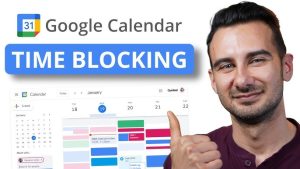
Modern calendars make time-blocking easy. Google Calendar, Outlook, and Apple Calendar all let you color-code blocks. Tools like Trello or Notion help you list tasks and link them to calendar slots.
Timer apps such as Pomodoro timers and Focus Keeper keep you honest. They ring when a block ends. Some apps even lock you out of distracting sites. This aligns with focus techniques by enforcing breaks and sessions.
Use simple paper planners if you prefer analog. Draw blocks in a daily planner. Write tasks inside each block. Crossing off a completed block feels rewarding.
Future of Time-Blocking for Remote Productivity

Looking ahead, time-blocking will get even smarter and easier to use. Calendar apps may suggest ideal block lengths based on your past work patterns and energy levels. AI helpers could spot new tasks in your email and create blocks automatically, then remind you when it’s time to switch. Integration with task trackers will let you start timers with one click as soon as you open a document. As these tools improve, time-blocking will become a seamless habit that keeps remote teams focused, balanced, and ready for anything.
Comparatice Table: Sample Time-Blocking Schedule for Remote Workers
| Time | Task | Purpose |
|---|---|---|
| 8:00 AM – 9:00 AM | Check emails and morning meetings | Start the day with communication |
| 9:00 AM – 11:00 AM | Deep work (project tasks) | Focused, high-energy work |
| 11:00 AM – 11:30 AM | Break (short walk or stretch) | Recharge and refresh |
| 11:30 AM – 1:00 PM | Content creation or writing | Deep work continues |
| 1:00 PM – 2:00 PM | Lunch and relaxation | Rest and rejuvenate |
| 2:00 PM – 4:00 PM | Client calls, meetings, emails | Collaboration and communication |
| 4:00 PM – 5:00 PM | Admin tasks or project review | Finish any remaining tasks |
| 5:00 PM – 5:30 PM | Reflection and planning for tomorrow | Review the day, plan next steps |
Conclusion
In 2025, time-blocking is a powerful tool for remote workers looking to maximize their productivity and work-life balance. By using time-blocking hacks like the Pomodoro technique, prioritizing tasks, creating theme days, and scheduling breaks, you can enhance focus, reduce distractions, and achieve more in less time.
Whether you’re working on a large project, attending virtual meetings, or simply managing your day-to-day tasks, time-blocking provides the structure and discipline you need to succeed. Start implementing these strategies today, and watch your productivity soar.