

 Written By
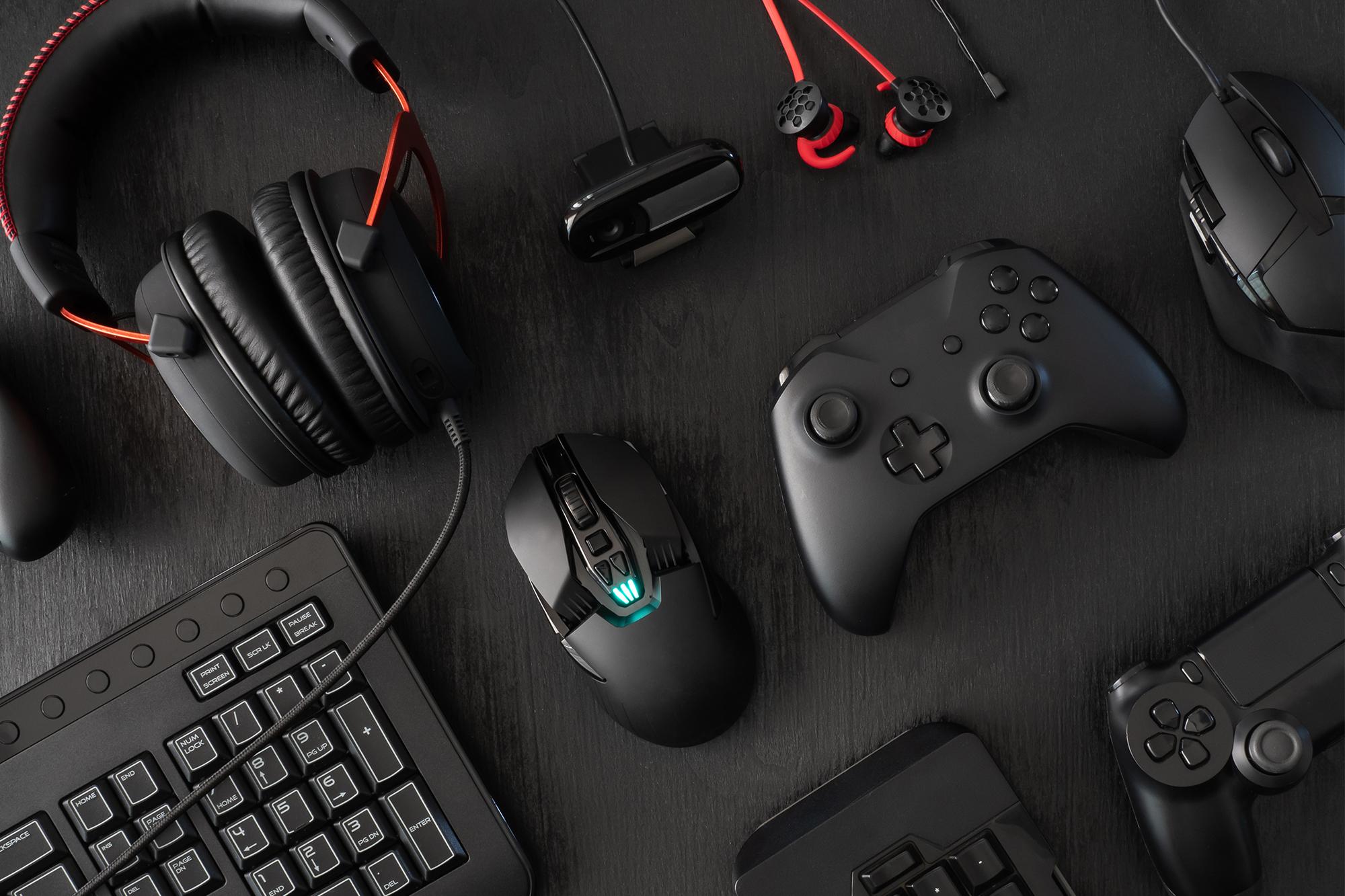
 A great gaming setup does not depend on expensive hardware alone. The right accessories can make controls feel more responsive, improve comfort, and create a more enjoyable experience. However, the market offers countless products, and every brand claims that its gear can transform your gameplay by gaming accessories.
That can make shopping confusing, especially when you have a limited budget. The smarter approach involves identifying what you actually need before you spend money. A competitive player may value speed and precision, while a casual gamer may care more about comfort and durability. Therefore, your playing style should guide every purchase.
Start With Your Gaming Style
Before buying anything, think about the games you play most often. First-person shooters require accurate aiming and quick reactions. Strategy games may benefit more from a comfortable keyboard with programmable controls. Racing games, meanwhile, can feel better with a dedicated controller or steering setup.
If you regularly switch between different genres, choose versatile equipment that works well across multiple games. Also, consider how long you normally play. Long sessions can expose weaknesses in cheap or poorly designed gear. A comfortable product may provide more value than a feature-packed model that causes fatigue after an hour.
Choose the Right Gaming Mouse
A mouse directly affects aiming, movement, and menu navigation. For competitive shooters, accuracy should remain a top priority. Look for a reliable sensor, comfortable shape, and weight that matches your preferred style. Lightweight mice appeal to players who make fast movements. Heavier models can feel more stable for users who prefer controlled movements.
DPI also matters, but a higher number does not automatically mean better performance. Instead, choose a setting that feels natural and consistent. Wireless mice have also become a practical choice for many players. Modern wireless technology can deliver fast response times without creating noticeable cable drag. Wired models still make sense if you want simple plug-and-play operation and never want to think about battery levels. Ultimately, the best mouse should fit your hand comfortably and respond predictably.
Pick a Keyboard That Matches Your Needs
Your keyboard handles every movement, command, and shortcut during a game. Mechanical keyboards remain popular because they offer distinct key feedback and a wide range of switch options. Linear switches provide smooth presses, while tactile switches give you a noticeable bump. Clicky switches add an audible click for users who enjoy stronger feedback.
However, you do not need a premium keyboard to enjoy responsive controls. Many affordable models provide excellent performance. Consider the layout as well. A compact keyboard can free up desk space for large mouse movements. A full-size model offers a dedicated number pad and additional keys. Furthermore, some newer keyboards include adjustable actuation and rapid-trigger features. These options can benefit competitive players who want precise control over key activation.
Do Not Ignore Your Headset
Sound plays an important role in gaming. A good headset can help you hear footsteps, environmental sounds, dialogue, and teammate communication more clearly. In competitive games, directional audio can even help you understand where an opponent may be approaching from. Comfort should matter just as much as sound quality. Look for soft ear cushions, a secure fit, and a weight that will not become uncomfortable during long sessions.
A clear microphone also helps if you frequently play multiplayer games. Wireless headsets offer freedom from cables, while wired models usually provide a straightforward setup. Some players may also prefer traditional headphones paired with a separate microphone. That approach can deliver excellent audio, although it may require more desk space and additional equipment.
Find a Mousepad That Works for You
A mousepad may seem simple, but it can influence how your mouse feels. A consistent surface allows the sensor to track movement more reliably. It also gives your mouse enough room for larger movements. Cloth surfaces usually provide a softer feel and controlled movement. Hard surfaces tend to offer faster gliding. Your choice should depend on your preferred sensitivity and aiming style on gaming accessories.
Size also deserves attention. A small pad can work for high-sensitivity players. However, low-sensitivity players often benefit from a larger surface. An extended pad can also give your keyboard and mouse a unified space while protecting your desk.
Consider a Controller
Keyboard and mouse controls work extremely well for many genres, but a controller can provide a more comfortable experience for certain games. Racing, sports, fighting, and platform games often feel natural with analog sticks and physical triggers by gaming accessories. If you play on multiple platforms, look for a controller with broad compatibility.
Wireless connectivity can also make couch gaming easier. Hall-effect sticks have gained attention because they use magnetic sensing technology and can reduce concerns associated with traditional stick mechanisms. Some premium controllers also include customizable buttons and interchangeable components. Still, avoid paying for features you will never use. A simple, comfortable controller can serve most players perfectly well.
Upgrade Your Monitor Carefully
Your monitor represents another important part of the setup. A high refresh rate can make movement appear smoother, particularly in fast-paced games. Resolution also affects image clarity, while technologies such as OLED can deliver strong contrast and deep blacks. However, balance matters.
Buying an expensive monitor makes little sense if your computer cannot produce enough frames to take advantage of it. Instead, match the display to your system and the games you play. Competitive players may prioritize refresh rate and response time. Story-focused gamers may prefer higher resolution and better image quality. Therefore, decide which experience matters most before choosing a display.
Think About Comfort and Organization
Gaming sessions can become uncomfortable when your desk setup lacks proper organization. A monitor arm can free desk space and help you position your screen correctly. A cable-management system can reduce clutter. A wrist rest may also improve comfort for some users.
Lighting can add atmosphere, but it should not become your main priority. RGB effects look attractive, yet they rarely improve gameplay. Spend your budget on equipment that solves a real problem first. Add decorative features later if you still have room in your budget.
Set a Realistic Budget
You do not need to buy everything at once. Start with the accessory that creates the biggest weakness in your current setup. If your mouse causes inaccurate movements, replace it first. If your headset hurts after long sessions, prioritize comfort.
If your keyboard feels unreliable, upgrade it before buying decorative extras. Mid-range equipment often provides an excellent balance between price and performance. Premium products can add useful features, but those features only matter when they match your needs. In other words, buy based on function rather than branding.
Final Thoughts
Choosing the right gaming accessories becomes much easier when you focus on your actual habits. Start with comfort, compatibility, reliability, and performance. Then consider advanced features that can improve your experience. You do not need the most expensive setup to enjoy your favorite games.
Instead, build your equipment gradually and spend money where it makes a noticeable difference. With the right choices, even a modest setup can feel comfortable, responsive, and ready for long gaming sessions.


